Cyber Insurance Requirements: Take the 3-Minute Readiness Quiz
Take the Quiz Before the Underwriter Does
Fifteen questions, taken from what cyber insurance applications actually ask. You get a readiness score and a list of what to fix, sorted so the likely deal-breakers are at the top. Nothing you type leaves the page.
Here's the short answer. Cyber insurance requirements for a small business in 2026 come down to a handful of controls: multi-factor authentication (MFA) on email, remote access and admin accounts, endpoint detection and response (EDR) on every computer, backups that ransomware can't delete, regular patching, security training, and a written incident response plan. Miss one of the big ones and you'll likely pay more, get exclusions, or get declined.

TL;DR: Insurers ask about the same six or seven controls. MFA, EDR and offline backups decide most applications. Take the quiz below to see where you stand, and treat every "Not sure" as a "No" until someone checks, because your answers become part of the policy.
I've spent 20+ years in IT, from the bench at Circuit City to running NSOCIT, and I've filled out more of these applications on behalf of clients than I'd like to admit. They've gotten longer every year. They've also gotten a lot more specific. "Do you have antivirus?" has turned into "What percentage of endpoints run EDR, and who monitors it after hours?"
So I built a quiz that asks you the same things. It takes about three minutes.

The Cyber Insurance Requirements Every Insurer Asks About
Every carrier words it differently, but the core cyber insurance requirements show up on almost every application I've seen. Here they are, roughly in the order underwriters care about them.
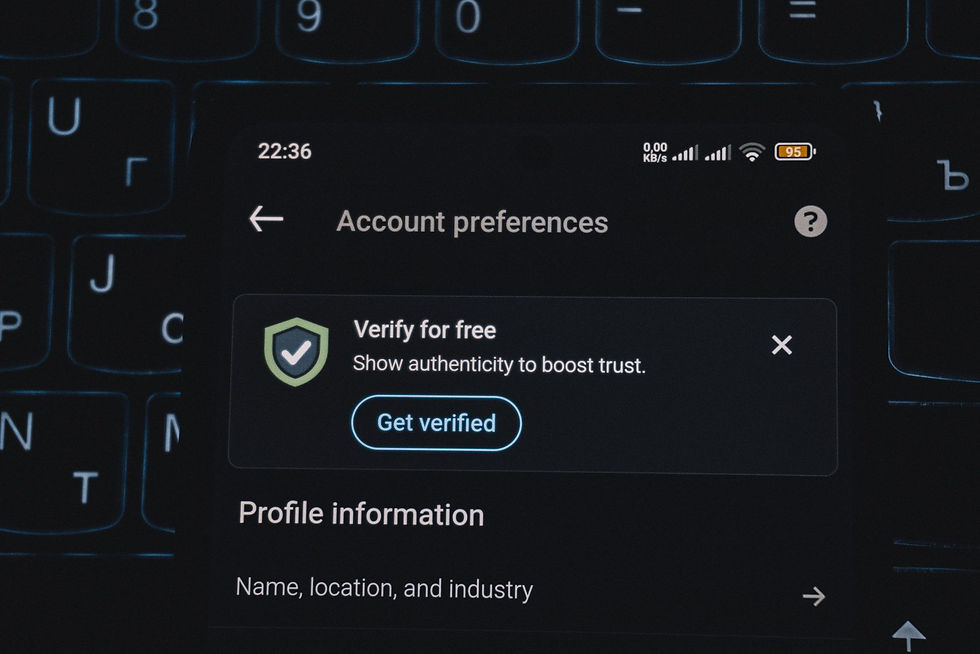
MFA on email, remote access and admin accounts
This is the first question on most applications, and often the one that decides whether you get a quote at all. The Cybersecurity and Infrastructure Security Agency puts it plainly on its MFA guidance page: "Users who enable MFA are significantly less likely to get hacked."
Insurers want MFA in three places:
Every email account, including the owner's and any shared mailbox people log in to
All remote access: VPN, remote desktop gateways and cloud apps
Every admin account, every time
Text-message codes are better than nothing. An authenticator app is what most carriers now expect. "MFA on some accounts" usually counts as "No" on a form, so be careful with the word "all."
EDR on every computer and server
Plain antivirus looks for known bad files. EDR (endpoint detection and response) watches what software actually does and can stop something suspicious before it spreads. Applications now ask about EDR by name, and many ask what percentage of your machines have it.
The follow-up question is who watches the alerts. An EDR alert at 2am that nobody reads until Monday is just a very detailed record of the breach. That's where 24/7 monitoring, sometimes called MDR, comes in. It's the part of managed cybersecurity most small businesses can't staff themselves.
Backups you can't delete, and have actually restored
Ransomware crews go after backups first, because a business that can restore doesn't need to pay. So insurers ask two things: is at least one copy offline or immutable (meaning it can't be changed or deleted, even by an admin), and when did you last test a restore?
A backup you've never restored is a rumour. Test it at least once a year and write down how long it took.
A written incident response plan
It doesn't need to be a binder. One or two pages is fine. Who do you call first (including your insurer's breach hotline, which is often required before you hire anyone), who makes decisions, and where are the backups? On the worst day of the year, nobody remembers any of that.
Security training and phishing tests
Most claims start with a person, not a server. Carriers want to see training at least yearly, and many ask whether you run simulated phishing emails. Keep the completion reports. You'll be asked for them.
Patching and supported systems
Applications ask how quickly you install critical updates, sometimes in days. They also ask about anything past end of life. Microsoft's own end of support page confirms that "Windows 10 reached end of support on October 14, 2025," so any Windows 10 machine still in the office is now a machine that will never get another security fix.

The Newer Questions Showing Up on Applications
The big six have been around for a few years. The questions below are newer, and they follow where the money is going.
Payment verification. Coalition, a cyber insurer with more than 100,000 policyholders, found in its 2026 Cyber Claims Report that business email compromise and funds transfer fraud accounted for 58% of all claims. Its global head of claims, Rob Jones, said it bluntly: "old-fashioned email-based crime hasn't gone anywhere." The FBI agrees. Its 2025 Internet Crime Report logged $3,046,598,558 in business email compromise losses in a single year.
That's why applications now ask whether you verify changes to bank details by phone. The fix costs nothing: a written rule that any new payment instruction gets confirmed by calling a number you already had on file. Not the one in the email. The one in the email belongs to the guy who wrote the email.
Exposed Remote Desktop. Leaving Remote Desktop (RDP) open to the internet is one of the oldest ways in, and some insurers scan for it before they quote. Close it and put remote access behind a VPN with MFA.
Email authentication. Some carriers ask about email filtering and DMARC, the DNS record that stops strangers sending mail as your domain. You can check yours in about ten seconds with our free email security checker. While you're at it, run the free breach scan to see whether your staff's logins are already floating around from somebody else's breach.

Your Application Is Part of the Policy
This is the section most guides skip, and it's the one that costs people the most.
In 2022, Travelers asked a federal court to cancel a cyber policy it had issued to a company called International Control Services, after a ransomware attack. According to Insurance Journal, Travelers said the company had misrepresented its use of MFA on the application. Both sides agreed to have the court rescind the policy and declare it "null and void, from its inception."
Read that last part again. Not "claim denied." The policy was treated as if it never existed.
So here's my rule of thumb for filling out an application:
If you're not sure, the answer is "No" until someone checks
"Partly" is also "No." Most forms say "all" for a reason
Have whoever runs your IT review the security section before you sign it
It's a lot cheaper to fix a gap before the application than to explain it after the claim.

Passing the Application Doesn't Make You Secure
Here's my one strong opinion on this. A clean application is a lot like a compliance badge. It satisfies the underwriter. It doesn't stop a breach.
I see a pattern over and over (it's a pattern, not one client). A business gets hit, IT wipes the infected laptop, resets that one login, and closes the ticket. A few days later the attacker walks right back in through webmail, using the same password from somebody else's breach. The laptop was clean. The password was still live everywhere else. That's like changing the lock on the front door and leaving the spare key under a mat ten other houses also use.
The business could honestly tick "Yes, we have antivirus." It didn't help. What would have helped was MFA on everything and resetting every credential that account touched.
So use the insurer's list as a floor, not a finish line. The controls on it are there because they show up in claims. Actually running them, every day, is the part that keeps you out of the claims data in the first place.

A 30-Day Plan Before Your Renewal
Most businesses find out about these gaps the week the renewal paperwork lands. That's not enough time. Thirty days is, if you do it in this order.
Week one: find out what you actually have. Pull a list of every computer, server and cloud account. Check which ones have MFA, which have EDR, and which are past end of life. Nine times out of ten there's at least one laptop nobody remembers buying.
Week two: close the deal-breakers. Turn on MFA everywhere it's missing, starting with email and remote access. Roll EDR out to the machines that don't have it. Close Remote Desktop on the firewall. These three moves change more application answers than anything else on the list.
Week three: fix backups and payments. Set up one immutable or offline backup copy, then do a real restore test and write down the result. Put the call-back rule for payment changes in writing and send it to whoever pays the bills.
Week four: paperwork. Write the one-page incident response plan. Schedule security training and a phishing test. Collect screenshots and reports as proof, because more carriers now ask for evidence, not just a tick in a box.
Then fill out the application. Retake the quiz first. If everything comes back green, you'll be answering "Yes" because it's true, which is a much better feeling than answering "Yes" because the form had a deadline.

How Much Cyber Insurance Costs, and What Moves the Price
Honest numbers: Insureon says its small business customers pay a median of $129 per month, or $1,552 a year, based on policies bought through its platform. Most of those customers have fewer than five employees, so if you're a 40-person firm handling medical or financial data, expect more.
What moves the price, roughly in order:
Your industry and the kind of data you hold (healthcare, legal and finance pay more)
Revenue and headcount
Coverage limits and deductible
Past claims
Your answers to the security questions above
That last one is the only item on the list you can change this month. Closing gaps before renewal is the most reliable way I know to keep a premium from climbing. If you're in a regulated field like healthcare, the same controls also do double duty for HIPAA.

When You Don't Need an MSP for This
If you're a three-person office, everything lives in Microsoft 365 or Google Workspace, MFA is on for everyone, and you have a cloud backup of your email and files, you probably don't need us to get insured. Answer the application honestly, talk to a good broker, and spend the money elsewhere.
Where it gets harder is the middle: 10 to 150 people, a server or two, a few remote workers, and nobody whose actual job is security. That's where the EDR monitoring, backup testing and patch reporting pile up, and where a flat monthly rate starts to look better than a surprise premium.

Straight Answers
Is cyber insurance required by law for small businesses?
No federal law requires small businesses to carry cyber insurance. It often becomes required in practice, though. Clients, landlords, government contracts and some vendor agreements now ask for proof of coverage before they'll sign.
Is MFA required for cyber insurance?
For most carriers, yes. MFA on email, remote access and admin accounts is the most common requirement on applications, and a "No" often means no quote. Authenticator apps are preferred over text messages.
What is EDR, and do I need it for cyber insurance?
EDR stands for endpoint detection and response. It watches behavior on each computer and can isolate a machine when something looks wrong, which plain antivirus can't. Many insurers now ask for it on every computer and server, plus someone monitoring the alerts.
What happens if I answer the application wrong?
Your answers become part of the contract. If they turn out to be untrue, the insurer can deny a claim or, as in Travelers v. International Control Services, ask a court to void the policy entirely. When in doubt, answer "No" and fix it.
How much does cyber insurance cost for a small business?
Insureon reports a median of $129 per month for its small business customers, most of whom have fewer than five employees. Your price depends on industry, revenue, coverage limits, claims history and your security controls.
Can I get cyber insurance after a breach?
Usually, yes, but expect more questions and a higher premium. Insurers will want to know what happened, what you fixed, and proof that the controls on their list are now in place.
Is cyber insurance worth it?
For most businesses that take card payments, hold client data or move money by wire, yes. Recovery costs, legal help and breach notification add up fast. Insurance works best on top of good security, not in place of it.

Still Stuck? Give Us a Call
If the quiz turned up more red than you'd like, that's normal. Most of it is a few weeks of work, not a few years. We're a flat-rate MSP in Baltimore covering Maryland, Virginia and Washington D.C., with an average response under 15 minutes on critical issues and a 24/7 network operations center watching the lights.
Give us a call on 410-703-3857 or book a free review. We'll go through your quiz results with you, help with the security section of your application, and fix what needs fixing before the renewal date instead of after the claim.
We'll probably also tell you a bad joke about firewalls. That one's included in the flat rate.



Comments