Dropbox vs OneDrive for Business: Which One Should You Pay For?
Dropbox vs OneDrive comes down to one question: do you already pay for Microsoft 365? If you do, OneDrive (with SharePoint for shared company files) is included and is usually the better choice. Dropbox wins for teams that work with very large files, use Macs and mixed apps, or share heavily with outside clients.

Here's the thing most comparison posts won't say, mostly because they're written by one of the two companies. A lot of small businesses are paying for both. They have Microsoft 365 for email, which includes OneDrive, and a Dropbox account somebody set up in 2016 that the whole office still uses. Half the files live in one, half in the other, and the newest version of the proposal lives in a third place called "Kevin's desktop." So before we compare features, the honest first step in any Dropbox vs OneDrive decision is checking whether you're already paying for the answer.
TL;DR: OneDrive is the default for Microsoft 365 businesses because it's included, integrates with Office and Teams, and is managed from the same admin center. Dropbox is easier to use, better with huge files and creative work, and friendlier across platforms. Pick one. Paying for both usually means nobody knows where anything is.

Dropbox vs OneDrive at a Glance
Here's the short version, for businesses:
Price: OneDrive is included in Microsoft 365 business plans. Microsoft lists Business Basic at $7.00 per user per month, Standard at $14.00, and Premium at $22.00, and each includes email, Teams, and OneDrive. Dropbox's plans page lists Standard at $15 per user per month and Advanced at $24.
Storage: OneDrive gives each user 1 TB on Microsoft 365 Business plans, per Microsoft's OneDrive service description. Dropbox business plans use a shared team storage pool.
Deleted file recovery: Dropbox lists 180 days on Standard and 1 year on Advanced. Microsoft 365 keeps deleted OneDrive and SharePoint files in recycle bins for 93 days by default.
Best for: OneDrive for Microsoft-centric offices. Dropbox for creative, Mac-heavy, or client-facing teams.

What Dropbox and OneDrive Have in Common
Both are solid. Neither is going to lose your files on a normal Tuesday. Both offer:
Desktop sync for Windows and Mac, plus mobile apps
Files on demand, so you can see everything without downloading everything
Link sharing with passwords and expiration dates on business plans
Version history and deleted file recovery
Admin controls, audit logs, and two-step verification
Encryption in transit and at rest
So the decision isn't "which one is safe." It's which one fits how your team works.

Where OneDrive Wins
It's already paid for. If you have Microsoft 365, you own OneDrive and SharePoint. Adding Dropbox is a second bill for something you already have.
It lives inside Office. Real-time co-authoring in Word, Excel, and PowerPoint works best when the file sits in OneDrive or SharePoint. Files shared in Teams are stored there too.
One admin center. Users, licenses, security policies, and file sharing all live in the same Microsoft admin portal. When someone leaves, you disable one account and their access to email, Teams, and files goes with it.
Security features you may already own. Business Premium includes tools like Intune, Conditional Access, and data loss prevention that apply directly to OneDrive and SharePoint files. Our post on Microsoft 365 Business Premium goes deeper.

Where Dropbox Wins
It's easier to use. Dropbox's sync is fast and predictable, and the interface is simple. People who hate computers tend to hate Dropbox less.
Large files and creative work. Video editors, architects, photographers, and agencies moving huge files often find Dropbox faster and smoother. Dropbox also has review tools built for video and design feedback.
Cross-platform teams. If your office is half Mac, uses Google Workspace for email, or relies on lots of non-Microsoft apps, Dropbox sits neutrally in the middle.
Client sharing. Sharing a folder with an outside client who doesn't use Microsoft is usually simpler in Dropbox. With OneDrive, external users often need to verify with a code or create an account, which some clients find annoying.

Security and Admin Controls
Both platforms offer encryption, two-step verification, admin consoles, and audit logs on business plans. The real security difference is how they fit into the rest of your environment.
With OneDrive, file access follows your Microsoft 365 identity. If you require MFA, block sign-ins from unmanaged devices, or restrict access by location, those rules apply to files automatically.
With Dropbox, you manage another set of user accounts and policies. That's fine if you set up single sign-on and keep it tidy. It's a problem if the Dropbox admin is a former employee and nobody has the password. (Ask me how often I've heard "I think Steve set that up.")
OneDrive Isn't Where Company Files Should Live
This is the part most Dropbox vs OneDrive comparisons miss, and it changes the math.
OneDrive is designed for an individual's work files. Microsoft says so directly in its service description: "Storage of data other than an individual's personal work files, including system back-ups and departmental and organizational level data, is not supported." Microsoft's recommendation for team and company files is SharePoint.
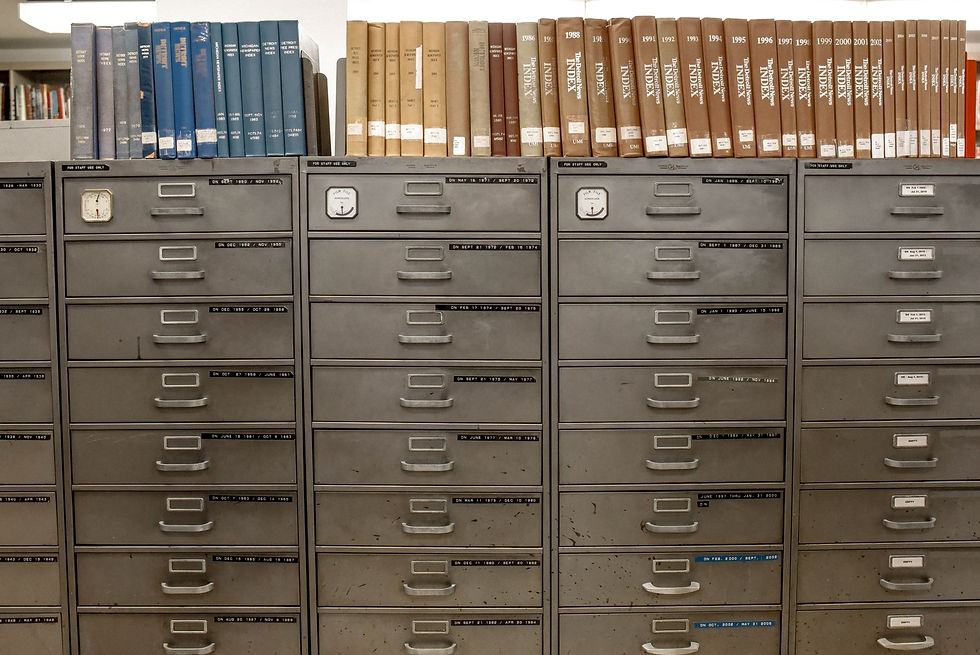
In plain English: if you're comparing Dropbox to OneDrive for your shared company folders, you're really comparing Dropbox to SharePoint. OneDrive is your personal desk drawer. SharePoint is the filing cabinet everybody uses. A lot of businesses that "moved to OneDrive" put the whole company share in one person's OneDrive, and that works right up until that person leaves.

Pricing: What You'll Really Pay
For a 15-person office:
Already on Microsoft 365: OneDrive and SharePoint cost you nothing extra. Dropbox Standard at the listed $15 per user per month adds roughly $225 a month, or about $2,700 a year.
Not on Microsoft 365: Business Basic at $7.00 per user includes email, Teams, and OneDrive. If you need desktop Office apps, Business Standard at $14.00 is the more common choice.
Dropbox can still be worth it. If your designers lose an hour a week fighting large file sync, that costs more than the subscription. But pay for it on purpose, not because nobody cancelled it.

Sync Isn't Backup, No Matter Which One You Pick
Here's the lesson from the 3am calls. When I've been woken up because a virus is spreading across a client's network, the first question after "is it contained?" is "what did it touch?" Sync tools are built to copy changes everywhere, fast. They copy good changes and bad ones with the same enthusiasm.
Version history and recycle bins help. Dropbox lists 180 days or a year of recovery depending on plan, and Microsoft 365 has its own version history and restore options. But those aren't backups. If an account is compromised, an admin deletes something, or a retention window passes, the files are gone.
Use a separate backup for whichever you choose. Our managed backup and disaster recovery post explains what that looks like.

Make Sure the Company Owns the Account
My one strong opinion here: your business should always own its own accounts.
Before you pick Dropbox or OneDrive, check who owns what you have now. Is the Dropbox team registered to a company email or someone's personal Gmail? Does more than one person have admin access? Does the company, not your IT provider, own the Microsoft 365 tenant and its global admin login?
If leaving an employee or a provider means losing access to your own files, the setup was built on lock-in. Fix that first. Changing platforms is easy compared to recovering a folder nobody has the password for.

Switching From Dropbox to OneDrive (or Back)
The common move is Dropbox to Microsoft 365, usually to stop paying for both. Creative teams sometimes go the other way.
Either way, plan it like a small project:
Inventory what's in the current platform and who owns each folder.
Map the structure. Personal files go to OneDrive. Shared folders go to SharePoint sites or Teams.
Migrate with a tool, like Microsoft's free Migration Manager, not by dragging folders.
Fix sharing links. Old Dropbox links stop working after the move.
Cut over on a weekend, then cancel the old subscription once you're sure.
Our cloud migration checklist covers the details.

When You Don't Need Us for This
You can make the Dropbox vs OneDrive call on your own in plenty of cases.
You're a team of five on Microsoft 365. Use OneDrive for personal files and one SharePoint site for shared ones. Done.
You're a small creative studio that lives in Dropbox and it works. Keep it. Just make sure the company owns the admin account and you have a backup.
You're a solo consultant. Pick whichever app you already have open. Seriously.
Where it's worth getting help: moving 20 or more people, years of nested folders, client-facing sharing that can't break, or files that fall under HIPAA, CMMC, or financial rules.

Straight Answers About Dropbox vs OneDrive
Is Dropbox better than OneDrive?
Dropbox is better for large files, creative work, and mixed-platform teams. OneDrive is better for businesses already on Microsoft 365, because it's included and works directly with Office and Teams.
Is OneDrive safer than Dropbox?
Both are secure on business plans, with encryption, two-step verification, and admin controls. OneDrive has an edge if you already use Microsoft 365 security features like Conditional Access, because those rules apply to your files automatically.
Is OneDrive included with Microsoft 365?
Yes. Microsoft 365 Business Basic, Standard, and Premium each include 1 TB of OneDrive storage per user, plus SharePoint for shared files.
Should I use OneDrive or SharePoint for company files?
SharePoint. OneDrive is for each person's own work files. Microsoft says departmental and organizational data in OneDrive isn't supported, and SharePoint is built for shared team files.
Can I use Dropbox and OneDrive together?
You can, but it's usually a mistake. Staff end up saving files in both, nobody knows which version is current, and you pay twice. Pick one for company files.
Is Dropbox or OneDrive a backup?
Neither. Both sync changes, including deletions and encrypted files. Version history helps, but you still need a separate backup.

Still Stuck? Give Us a Call
If you're still torn on Dropbox vs OneDrive, give us a call at 410-703-3857 or send us a note. We help offices across Maryland, Virginia, and DC, including Arlington and Bethesda, pick one, move everything, and cancel the other. Our managed IT services cover the whole thing at one flat monthly rate.
We'll even find the proposal on Kevin's desktop. It's always on Kevin's desktop.



Comments